How it works
From the first opening to your last interview.
One list of every first-year programme, a place to track your applications, and a short email each morning so nothing closes without you knowing.
Three steps, about a minute
- Enter your email. We send you a private link. There's no password and nothing to download.
- Mark what you apply to. One tap per stage, with dates and notes if you want them.
- Read the morning email. New openings and closing dates arrive at 6am, so you hear about them in time.
What it does
- One list instead of five
- The Trackr, TargetJobs, Higherin, eFinancialCareers and the careers sites of over 100 firms, checked before 6am. Firms The Trackr doesn't cover are labelled when they appear.
- Your applications, in order
- Mark each one applied, online test, interview or offer. Add the date of your next step and a note, and see where everything stands.
- Programmes that haven't opened
- You can see when each one opened last year, and you're told the morning it opens. Links go to the firm's own page.
- What each application asks for
- CV, cover letter or written answers, and practice links for the online test provider the firm uses, where we know it. See every firm's tests.
- Works on your phone
- Add it to your home screen and it opens like an app. Your last copy is there without signal.
- Free, with no adverts
- No paid version and no card details. Delete your tracker whenever you like, and everything you saved goes with it.
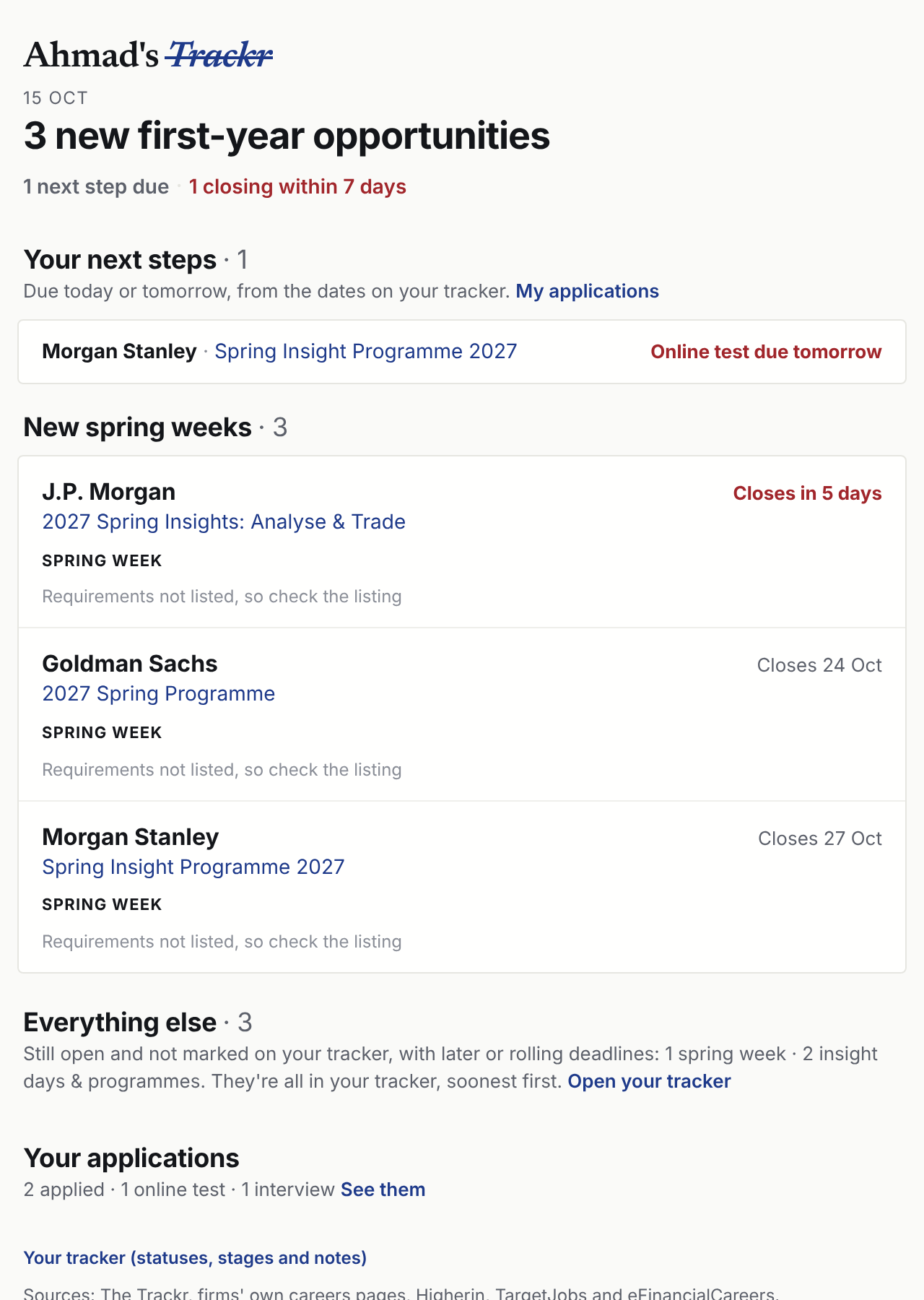
One short email, at 6am
- What opened yesterday. New spring weeks, insight days and events, grouped by type.
- What's about to close. Anything due in the next two weeks that you haven't applied to.
- Your own next steps. Tests and interviews due today or tomorrow, with practice links.
Daily or weekly, or off. Change it any time in Settings.
Your dates, in your calendar
- Tests and interviews. Every next-step date you add shows up in Apple Calendar, Google Calendar or Outlook, with a reminder at 6pm the evening before.
- Closing dates, if you want them. Add the closing dates of programmes you're tracking, or of everything that's open.
- Always up to date. Change a date on your tracker and your calendar follows. Turn it on in Settings, on your tracker.